
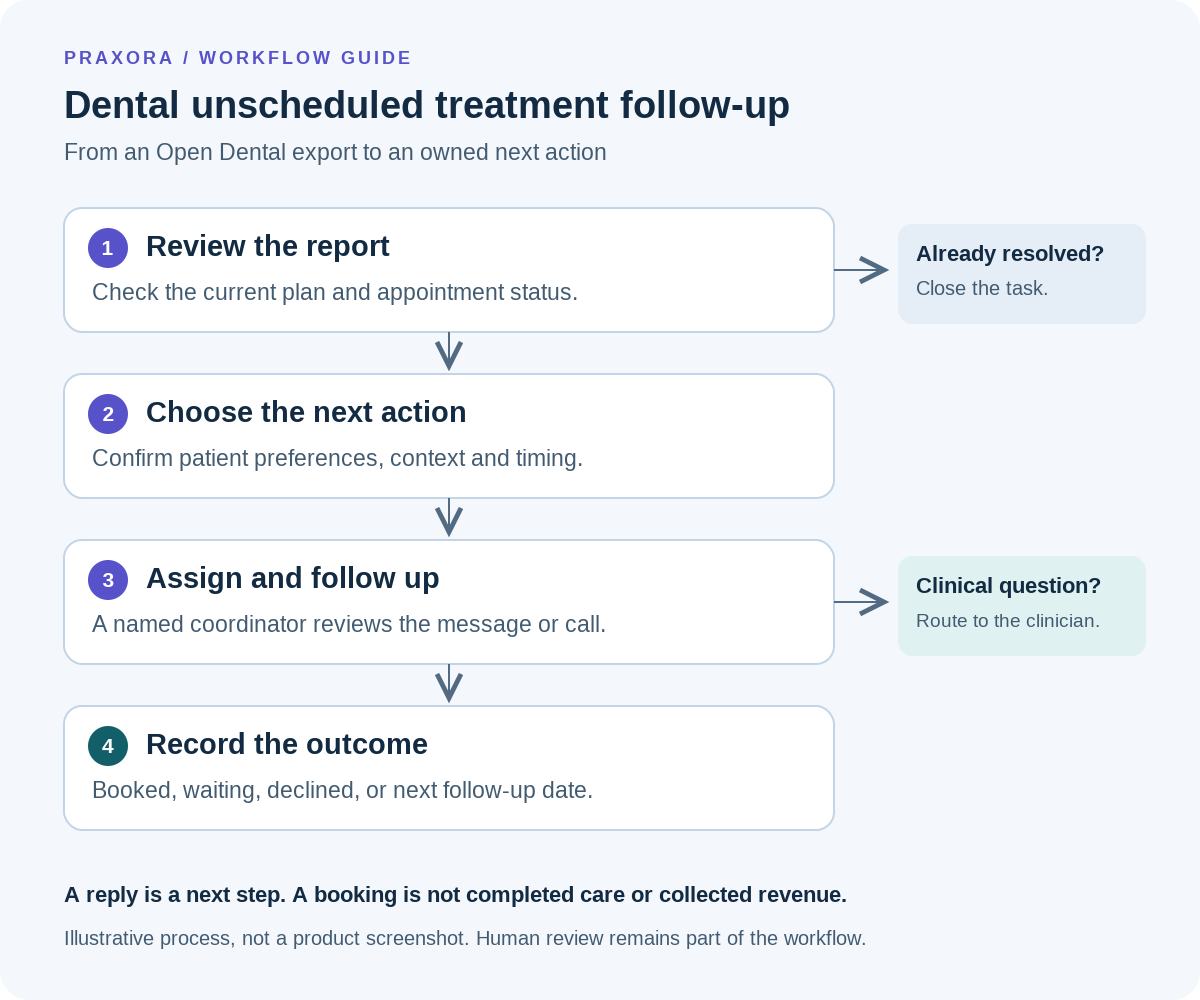
Four moves, in this order: export, de-dupe S and U, name an owner, record an outcome. Offices stall between the first and the second. The file looks finished because it came out of Dentrix or Open Dental. It is not finished until each row has a person and a place to write what happened.
Click-paths live on the source pages: how to pull the Dentrix unscheduled treatment report and how to pull the Open Dental unscheduled treatment report. This page is what you do with the output. When the rows are clean, sort them with value, expiry, insurance remaining, and touch history.
Export
Use the report your version actually produces. Do not wait on a CSV button that your build may not have.
- Dentrix desktop. Office Manager, Reports, Lists, Unscheduled Treatment Plans sends the list to the Batch Processor. Treatment Manager is the filterable view from the Appointment Book. Confirm the menu in your version. Dentrix Ascend does not use that Office Manager path. The full notes are on the Dentrix report page.
- Open Dental. Standard Reports, Lists, Treatment Finder. Leave "Include patients with upcoming appointments" unchecked when you want an unscheduled list. Refresh, review, then Export to File. The manual link and the filter notes are on the Treatment Finder page.
Write the source and the export date on the working file before you edit anything. A list from last month is not a list from this morning. Patients schedule, complete, and decline treatment after the Batch Processor finishes.
If you are not ready to pull either report, count the open cases and use aggregate numbers only. The free follow-up leak review asks how the list is worked. It does not ask for the file.
De-dupe, including S and U
Clean the export before you assign owners. Otherwise two people call the same patient, or someone calls a patient whose visit is already booked.
| What you see | What it means | What to do |
|---|---|---|
| Several procedure lines, one patient | The export repeated the person because the plan has more than one code. | One working row for the plan the team will discuss together. Do not dial once per line. |
| Same patient on two Dentrix views | The list report and Treatment Manager can both contain the person. | Keep one row. Note which view the coordinator will re-check. |
| Dentrix S | An appointment exists for other treatment-planned work. This plan can still be open. | Keep the row if this plan is open. Write "other work is scheduled." Do not mark it closed. |
| Dentrix U | An appointment is on the Unscheduled List. That is not a booked visit. | Keep the row. Confirm it in the Appointment Book before outreach. |
| Blank appointment field, or Open Dental with no upcoming visit | The report did not find a scheduled appointment for the filter you ran. | Keep the row only after a person checks that the plan is still open. |
| This plan is already on the book | The visit you would follow up about is scheduled. | Remove it from the batch. Record "already scheduled" so it does not return next week as if it were new. |
| Continuing care or recall procedures | Hygiene recall mixed into a treatment export. | Exclude them from this batch. Recall has its own workflow. |
Owner and outcome columns
Add these columns to the working file. If a column is blank, the row is not ready to call.
| Column | Write this | Not acceptable |
|---|---|---|
| Source and export date | Dentrix list, Treatment Manager, or Open Dental Treatment Finder, plus the date you pulled it. | A file name with no date. |
| Still open | Yes, no, or needs a chart check, after a person looks. | A blank treated as yes. |
| Appointment check | Booked for this plan, S, U, or none. | Assuming S means the case is done. |
| Value, expiry, insurance remaining, last touch | The figures and dates the chart already has. Unknown stays unknown. | A guessed benefit reset or a guessed remaining balance. |
| Owner | One person responsible for the next action. | "Front desk," "someone," or two names. |
| Next action and date | The specific step and the day it is due. | "Follow up" with no date. |
| Outcome | Scheduled, declined, waiting on insurance, unreachable, not a candidate, or callback on a date. | "Left a message." That is an attempt. The case is still open. |
Sort the eligible rows before the owner starts dialing. The rubric is prioritize unscheduled treatment by value and expiry. Message patterns, when a text is appropriate, are on unscheduled treatment text samples.
Where the file lives
The working batch contains patient references. Leave it in the system your practice already approves for that information. Do not email the export to a personal inbox, and do not upload it to the public calculator.
The dental revenue leak calculator asks how many presented plans are still unscheduled and, if you know it, a rough aggregate value. That is enough to see whether this leak is the one to review first. A later Dentrix or Open Dental connection is useful when stale appointment status becomes the main mistake. Until then, the batch above is the workflow. Category comparisons, if you are evaluating tools, start at dental follow-up software alternatives.
Frequently asked questions
Does an S or a U on the Dentrix report mean the treatment is scheduled?
No. Dentrix Help uses S for an appointment for other treatment-planned work, and U for an appointment on the Unscheduled List. A blank means no scheduled appointment and no Unscheduled List appointment. Confirm the chart and the Appointment Book before anyone calls.
Should every procedure line become its own call?
No. Collapse a patient to one working row for the plan the team will discuss together. Calling once per exported procedure line is how the same person hears from the office three times in a day.
Do we have to upload the export to start?
No. Keep the working file inside the practice's approved systems. The calculator and the free workflow review use aggregate counts only. They do not ask for names, chart numbers, or the export file.