
Priority is a sort the front desk can say out loud. It is not a clinical urgency score and it is not a hidden formula. Pull the list you already have, drop rows that are not eligible, and use four factors together: value, expiry, insurance remaining, and touch history. The output is one batch of about 20 cases, each with an owner.
If the list is still in the practice-management system, start with the Dentrix unscheduled treatment report or the Open Dental Treatment Finder. The export itself, including how to de-dupe S and U rows, is export your unscheduled list and build a working batch. You can count the backlog before either system is connected. That path is start follow-up without a PMS integration.
The four factors
Use the factors as filters and a sort order. Do not multiply dollars by days into a number the coordinator cannot explain. A case moves up only when a person can point at the chart field that put it there.
| Factor | What to record | This week | Later, or not in this batch |
|---|---|---|---|
| Expiry | A benefit-reset date already on the chart, or a date the clinical team already set. If neither exists, write "none on file." | Documented date within 30 days. | 31 to 90 days, or no documented date. Do not invent one. |
| Insurance remaining | Remaining benefits a person confirmed in the chart. Unknown stays "not confirmed." | Confirmed remaining benefits that reset with that documented date. | Unknown, zero, or a figure nobody has checked. |
| Value | The treatment-plan total already on the report. | Among rows that passed the date and benefits checks, higher totals come first. | Do not drop the only in-window case because the dollar amount is small. Do not promote a high total that failed the other checks. |
| Touch history | Date and result of the last attempt, including a patient request to wait. | No completed touch in 14 or more days, and no future callback date. | Touched in the last 7 days, or a callback date that has not arrived. Honor the date. |
Read the row left to right. Expiry and insurance remaining decide whether the case is in this week's window. Value orders the cases inside that window. Touch history breaks ties and parks anyone the practice already promised to call later.
Gates before the sort
The four factors apply only to rows that are still a real follow-up. Check these before anyone is ranked:
- The plan is still open. Completed, declined, or referred treatment does not enter the batch. A report is a snapshot.
- This plan is not already booked. In Dentrix, an S means other treatment is scheduled. It does not close the plan on the report. A U means an appointment is on the Unscheduled List, which is not a booked visit. Open Dental's upcoming-appointment filter answers a different question. Confirm the Appointment Book either way. The column-by-column version is on the working-batch page.
- The patient did not ask to wait or to stop. A requested date is a hold. A do-not-contact preference removes the row.
- A clinician has not put the case on hold. Financial sorting never overrides a clinical hold.
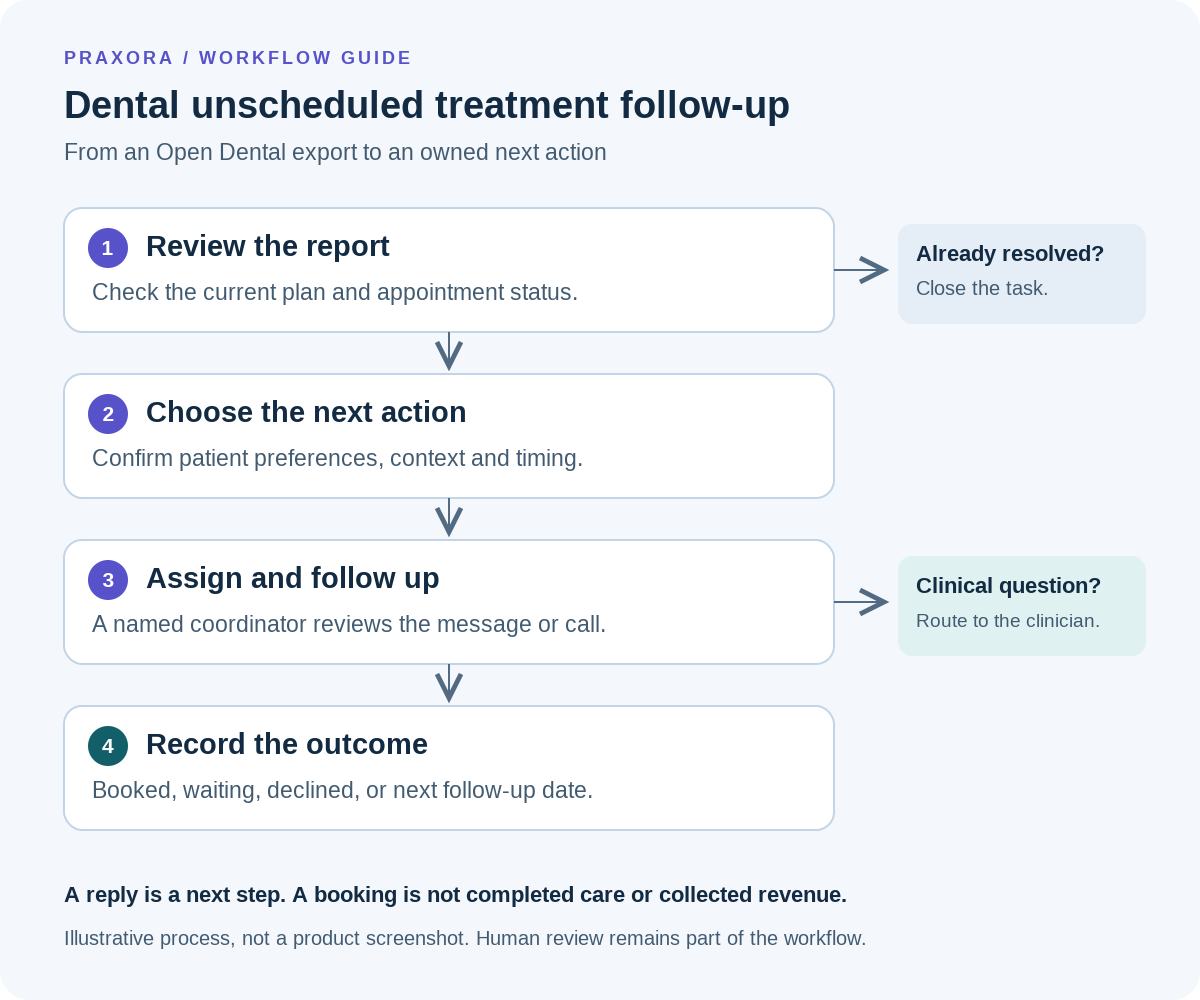
These gates are the same idea as the broader unscheduled treatment follow-up workflow: classify why follow-up stopped, then decide the next action. This page only answers which eligible cases the team works first.
Build the first 20
- Start from rows that passed the gates.
- Keep rows with a documented expiry inside 30 days and confirmed insurance remaining that resets with that date.
- Order that short list from higher plan value to lower plan value.
- If two totals are close, work the one with the older last touch, unless a callback date says to wait.
- Stop at 20, or stop sooner if fewer rows qualify. Assign one named owner to each row that remains. "Front desk" is not a name.
Twenty is a capacity cap for a coordinator who still has a regular day. If the eligible window has 8 cases, the batch is 8. Padding the list with year-old plans makes the rubric decorative.
Keep names, chart numbers, and benefit figures inside the practice's approved systems. The public revenue leak calculator only needs aggregate counts and a rough total value. It does not need this batch uploaded.
If the office is choosing software before it has this sort, the comparison pages start at dental follow-up software alternatives. A tool that cannot show expiry, value, last touch, owner, and outcome is another list.
What not to say on the call
The sort is internal. On the call, do not quote a benefit figure, a reset date, or a plan total you have not confirmed in the chart that day. Do not say a financial deadline makes the dentistry more urgent. If the message is a text, use the practice-approved patterns on unscheduled treatment text samples, and only for patients who have agreed to receive texts.
A patient who asks about cost, timing, or a clinical question gets a next action with a person who can answer it. The priority rubric does not answer those questions.
After the batch
Every row leaves the week with an outcome: scheduled, declined, waiting on insurance, unreachable, not a candidate, or a callback on a specific date. Reconcile bookings against the practice record before you pull the next 20. A booking is not completed care and it is not collected revenue.
Then rerun the same four factors on what is left. Cases that move into the 30-day window next week become eligible then. Cases that were touched and asked to wait stay parked until that date.
If you want a person to look at the process rather than the charts, use the free follow-up leak review. Describe how the list is sorted today. Do not send patient names.
Frequently asked questions
Should we multiply value, expiry, insurance remaining, and touch history into one score?
No. Use the four factors as a sort the coordinator can explain: drop ineligible rows, keep cases with a documented near-term date and confirmed remaining benefits, order those by plan value, and break ties with touch history. A single multiplied number hides which factor moved the case.
What if fewer than 20 cases pass the rubric?
Work the shorter list. Do not pad the batch with old rows that have no documented expiry, no confirmed benefits, or a callback date that has not arrived. Twenty is a capacity cap, not a quota.
Does a higher plan value mean the case is clinically more urgent?
No. Value, expiry, and insurance remaining are operational sorting choices. They do not diagnose urgency. Clinical holds and patient preferences come before the sort, and a person confirms the chart before anyone calls.