
Dental unscheduled treatment follow-up chart
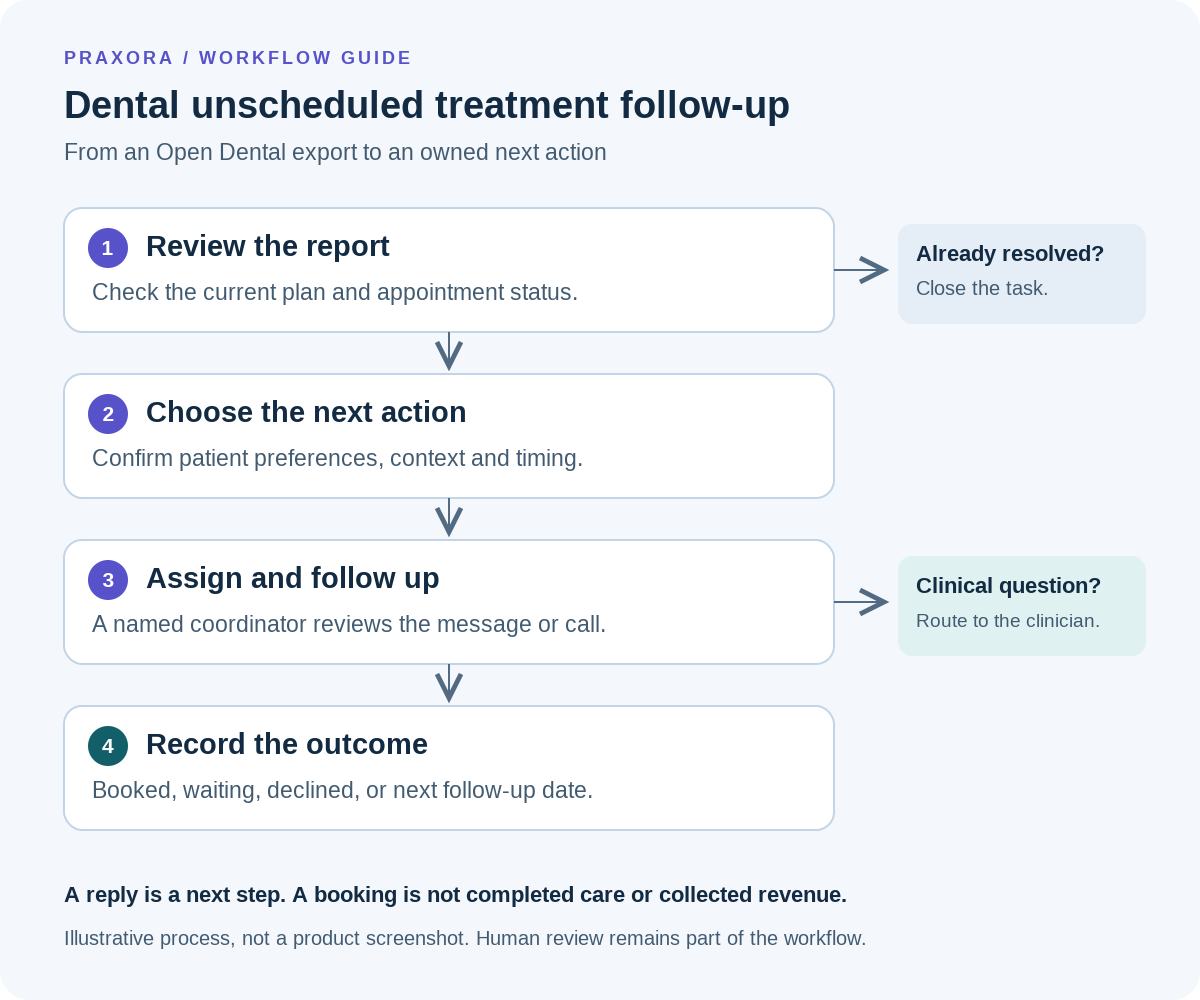
Unscheduled treatment is the highest-value workflow, and it is also the core of Praxora's follow-up software. See the other workflows: missed calls, confirmations, recall, and openings.
Where the leak happens
- A treatment plan is presented, the patient says they will think about it, and no one is assigned to follow up.
- The report is long, so it is worked in alphabetical order — or not at all — instead of by expiry and value.
- No one records why follow-up stopped: cost, insurance, timing, anxiety, or a family decision. The next message is generic, so it does not help.
- The same report is pulled again next month, and the same cases appear as if they were new.
Unscheduled treatment does not go cold because patients refuse treatment. It goes cold because no one owns the next step.
How Praxora works for unscheduled treatment
- Narrow the report to a first batch Cases are ordered by expiry first — for example, a benefit period ending soon — then by treatment value, so the front desk starts with the cases where waiting costs the most, not with the whole report.
- Label the barrier before the next touch Each case in the first batch gets a barrier label before anyone contacts the patient. A scheduling case gets appointment options; a cost case gets staff-reviewed information; a clinical question goes to a person.
- Record the outcome and keep the loop closed Scheduled, still thinking with a new due date, unreachable, declined, or escalated — every outcome is recorded. The next batch starts from what is still open, not from re-pulling the whole report.
That is the whole workflow: a case is captured, owned, worked to a recorded outcome, and only then closed. See also dental patient follow-up software and dental missed call recovery. Pull the source list from Dentrix or Open Dental, or start from counts if you are not connecting a PMS yet. Estimate the backlog with the revenue leak calculator.
What you get
- Diagnosed production turned into scheduled production, instead of a report that grows every month.
- A first batch the front desk can actually finish in a week, instead of a 120-case list no one starts.
- A weekly result the owner can read in one line: scheduled, still thinking, unreachable, declined, escalated.
The other workflows
Frequently asked questions
Who should own the unscheduled treatment list?
One named role per batch — often the treatment coordinator — with a weekly number to be measured on, such as treatment scheduled against treatment presented. If the list is shared by everyone, it is owned by no one.
How do you choose the first batch?
Expiry first, value second, barrier third. A time-sensitive case goes before a case that can wait, a high-value case goes before a low-value one, and every case gets a barrier label so the next touch is specific, not generic.
What if a patient is still thinking?
Then the case stays open with a new due date, not closed and not forgotten. Still thinking is an outcome — it only becomes a leak when it has no due date and no owner.
See what it is worth
Use the dental revenue leak calculator to estimate what this workflow is worth for a practice like yours, from aggregate figures — no patient-level data needed to get an estimate.